LLMs know the internet. They don't know your company. Retrieval-Augmented Generation bridges that gap — here's how it works and why it matters.
It read the whole internet but can't find your FAQ, Ask about your product? Watch it confidently hack. So you feed it docs, retrieval on the beat — Grounded answers turn the fiction to receipts.
I The Grounding Problem
Ask ChatGPT to explain quantum entanglement and you'll get a polished, accurate answer. Ask it to explain your company's Q3 refund policy and you'll get something that sounds plausible but is entirely fabricated. The model speaks with the same confidence either way.
This is the grounding problem. LLMs are trained on public data — books, websites, code repositories, Wikipedia. They know the world in general. They do not know your world in particular: your internal docs, your customer data, your product specs, your Confluence pages that haven't been updated since 2022 but somehow remain the canonical source of truth for half the company.
The gap between "general knowledge" and "your knowledge" is where hallucinations thrive. The model doesn't know what it doesn't know, so it fills the void with plausible-sounding fiction. For a consumer chatbot, that's an annoyance. For an enterprise product handling customer data, billing logic, or compliance rules, it's a liability. HBR calls this content risk — the danger that a generative AI system might saysomething wrong — and it's the defining risk category for any retrieval-based product.
Grounding is the practice of connecting a model to authoritative data sources so its answers are rooted in fact rather than fabrication. And the most practical way to do it today is called RAG.
II The RAG Pipeline
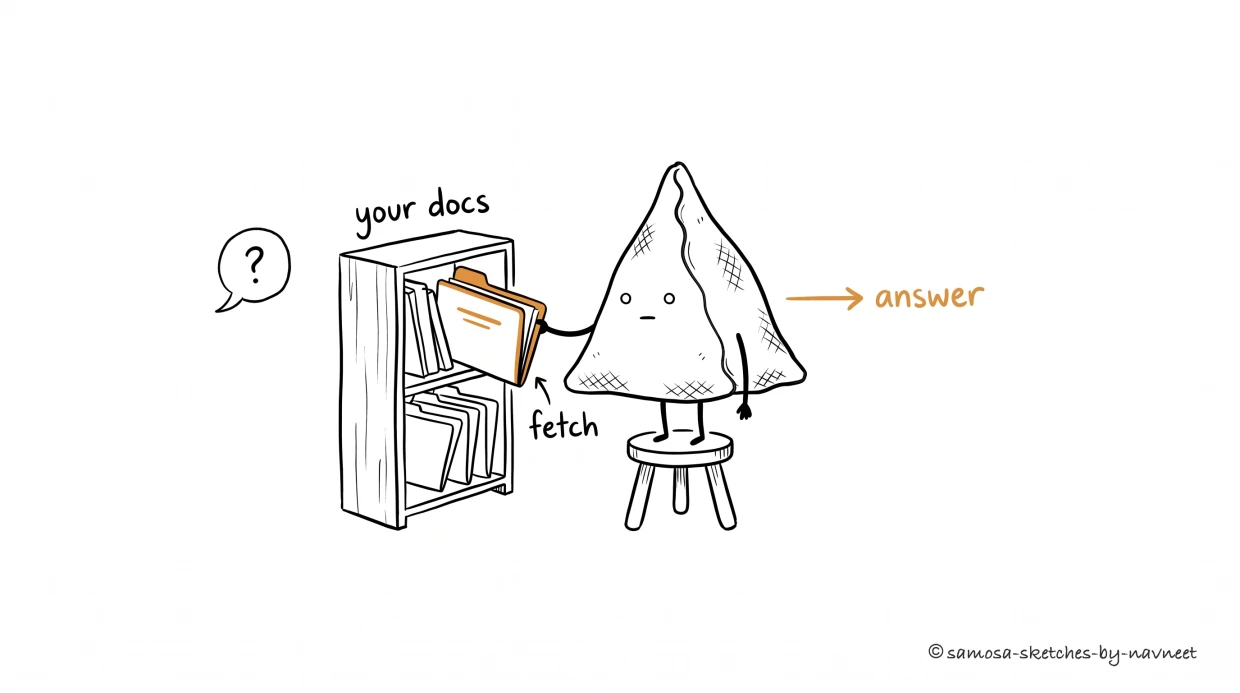
RAG in one frame: a question comes in, the relevant docs are fetched, and the model answers from what it found — not from memory.
Retrieval-Augmented Generation — RAG — is a deceptively simple idea: instead of asking the model to recall information from memory, you look up the relevant information first and paste it into the prompt. The model generates its answer based on what you gave it, not what it memorized during training.
Three stages make it work:
Embed.Convert your documents (and the user's query) into numerical representations called embeddings — arrays of numbers that capture meaning.
Search.Find the documents whose embeddings are closest to the query's embedding. "Closest" means most semantically similar.
Generate.Stuff the retrieved documents into the prompt alongside the user's question. The LLM reads everything and produces a grounded answer.
Analogy
RAG is like an open-book exam. The model doesn't need to memorize every fact in your knowledge base — it just needs to know how to look things up and synthesize an answer from what it finds. The quality of the answer depends on the quality of the book (your data) and how well the student can find the right page (your retrieval system).
The beauty of RAG is that it separates knowledge from reasoning. The LLM provides the reasoning. Your data provides the knowledge. Update a document and the model's answers change immediately — no retraining, no fine-tuning, no waiting weeks for a new model version. You ship a doc update, and the next query reflects it.
That immediacy matters more than it sounds. Enterprise data is contradictory and versioned — a 2022 policy doc might still sit in your knowledge base alongside the 2024 replacement. As HBR researchers Telang, Hydari, and Iqbal point out, an agent acting on a stale policy isn't hallucinating — it's making a retrieval mistake with legal consequences. RAG gives you the mechanism to fix this: swap the doc, and the answers update in real time.
III Embeddings Explained
Embeddings are where language becomes math. An embedding model takes a piece of text — a sentence, a paragraph, a document chunk — and converts it into a list of numbers, typically 768 or 1,536 of them. These numbers encode meaning, not just keywords. That distinction is everything.
Consider: "How do I return a product?" and "What is your refund policy?" share zero words in common. A keyword search would miss the connection entirely. But their embeddings will be nearly identical, because the meaning is the same.
Conversely, "Java programming language" and "Java island in Indonesia" share the same keyword but have very different embeddings, because the meaning diverges.
Key Insight
Embeddings capture meaning, not keywords.This is what makes semantic search fundamentally different from the full-text search your users are accustomed to. Two sentences can share no words and yet be "close" in embedding space — and two sentences with identical words can be far apart if they mean different things.
Explore how this works in the visualization below:
Try it yourself
Embedding Space Visualizer
Phrases with similar meanings cluster together in embedding space. Type a phrase and click "Add" to see where it lands.
Notice how the clusters form naturally. Cooking phrases group together regardless of whether they mention "saute," "grill," or "oven." Programming terms cluster even when they reference different languages. The embedding model has learned that "debug a Python script" and "fix a JavaScript bug" are semantically adjacent — something a keyword index would never catch.
IV Vector Search
Once every document chunk is an embedding — a point in high-dimensional space — searching becomes a geometry problem: find the points closest to the query. This is vector search, also called nearest-neighbor search.
The math is straightforward. You compute the cosine similarity between the query embedding and every document embedding. Cosine similarity measures the angle between two vectors: 1.0 means identical direction (same meaning), 0.0 means unrelated, and -1.0 means opposite. In practice, most useful results fall between 0.7 and 0.95.
To do this at scale — millions of document chunks, sub-second latency — you need a vector database. Tools like Pinecone, Weaviate, Qdrant, and pgvector (a PostgreSQL extension) are purpose-built for this. They use approximate nearest-neighbor algorithms that trade a tiny bit of accuracy for dramatic speed improvements.
Builder Tip
When evaluating vector databases, focus on three things: latency at your scale (test with realistic data volumes, not demo datasets), filtering support (can you scope searches by user, team, or document type?), and operational simplicity (managed services save months of infrastructure work). For most early-stage products, pgvector in your existing Postgres instance is the pragmatic choice.
See the full RAG pipeline in action:
Try it yourself
RAG Pipeline Step-Through
Pick a query, then step through each stage of the RAG pipeline to see how retrieval and generation work together.
🔍
Query
→
🔪
Embed
→
🗃
Search
→
✏️
Generate
Select a query above, then step through the pipeline.
Each stage transforms data as it flows from your question to a grounded answer.
V Building Your First RAG System
The conceptual pipeline — embed, search, generate — fits on a napkin. The engineering details are where teams spend months. Here's the practical checklist that separates a working RAG system from a frustrating demo.
1. Choose an embedding model. OpenAI's text-embedding-3-smallis the default choice: cheap, fast, and good enough for most use cases. Cohere's embed-v4 and open-source models like bge-large are strong alternatives. The key decision is dimension count — higher dimensions capture more nuance but cost more to store and search.
2. Pick a vector database.If you're already on PostgreSQL, start with pgvector. If you need managed infrastructure at scale, Pinecone or Weaviate. If you're prototyping, an in-memory store like ChromaDB gets you running in minutes. You can always migrate later — the embedding format is portable.
3. Design your chunking strategy. This is the most underrated decision in the entire pipeline — and the one most teams get wrong on the first try. Documents need to be split into chunks before embedding. Too large (entire pages) and the embeddings become vague, like asking someone to summarize an entire chapter in a single word. Too small (single sentences) and you lose context. A chunk size of 200–500 tokens with 50-token overlap between chunks is a solid starting point. Adjust based on your retrieval accuracy.
4. Write your prompt template. The prompt that wraps the retrieved documents matters enormously — and this is where many teams get sloppy. Tell the model to answer onlybased on the provided context. Tell it to say "I don't know" if the context doesn't contain the answer. Without these instructions, the model will happily blend its training data with your retrieved documents, and you'll have no idea which facts came from your data and which it made up. That's not grounding. That's a confidence game.
Test how text similarity works at the core of this pipeline:
Try it yourself
Similarity Calculator
Enter two pieces of text and see their simulated similarity score. Edit the text to explore how meaning (not just keywords) drives similarity.
0.44
Cosine Similarity
Low similarity — loosely related, if at all.
Takeaway
Building RAG: the four-step checklist. 1. Embed — pick a model, convert your docs to vectors. 2. Store — load embeddings into a vector database with metadata filters. 3. Search — retrieve the top-k most similar chunks for each query. 4. Generate — inject the retrieved context into a prompt template and let the LLM synthesize an answer.
Start with a narrow, high-value corpus (e.g., your support docs) rather than indexing everything at once. Measure retrieval quality before optimizing generation quality — if the right documents aren't being found, no amount of prompt engineering will fix the output.
Test your understanding
Article Recap
5 questions covering the key concepts from this article.
1 of 5
Your team is building a customer support chatbot. During testing, it confidently answers questions about your company's refund policy — but the answers are wrong. An engineer suggests the model just needs a better system prompt to fix the inaccuracies. What's the real issue?
VI What's Next
RAG is the workhorse of enterprise AI — practical, deployable, and effective for the majority of grounding use cases. But it has real limitations. What happens when your documents are out of date? When the answer requires reasoning across ten different sources? When retrieval accuracy isn't high enough for compliance-sensitive domains?
In Part 2, we'll confront the cases where RAG falls short and explore the strategies that pick up where retrieval leaves off: fine-tuning, hybrid search, reranking, and the emerging pattern of agentic RAG. RAG gets you 80% of the way there. The next 20% is where product differentiation lives.